Casual Buyers
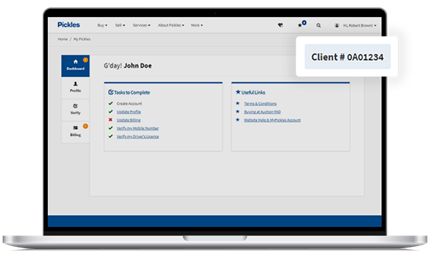
Casual Buyers will be prompted to perform a one-time reverification check upon logging in - this process takes approximately 30 seconds. After reverification has been completed, a ‘Client Number’ will be automatically generated and will become your permanent bidding number. The number will look similar to this: 0A01234.
This new Client Number will act as your digital identity for all future Pickles sales you participate in. It can also be used as part of your vendor record if you wish to sell assets with Pickles in future.
Permanent Buyers
Bidding numbers will be replaced with a ‘Client Number’ that will look similar to this: 0A01234. This number will act as your permanent bidding number and digital identity for all future Pickles sales.
To add new buyer representatives and allow others to bid on behalf of your organisation, you can complete the permanent buyer process. All digital identity checks on new buyer representatives are conducted through Equifax.
How can I find my new Client Number (Bidding Number)?
Follow the easy steps below to find your Client Number.
- Log in to your MyPickles account with your email address and password.
- Click the profile icon and select MyPickles from the drop-down menu.
- Find your Client Number in the top right corner of your MyPickles dashboard.
Where to find our new EFT details?
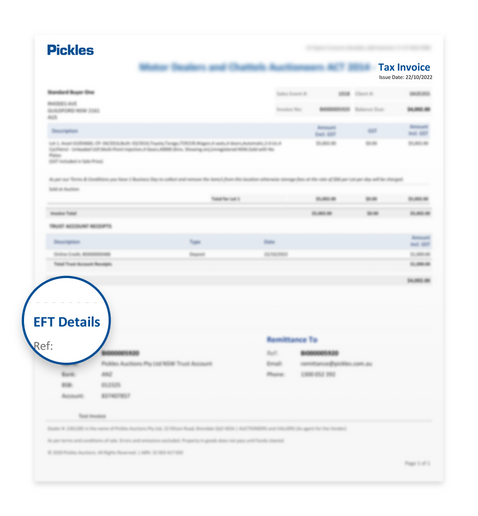
To avoid payment issues, please ensure you have entered our new EFT details before submitting your payment. You can find our new details at the bottom left-hand side of your invoice under 'EFT Details'. Please note: If this is your first time making a payment to the new account that some banks hold the funds for 24 hours prior to releasing.