Learn how to buy through PicklesLIVE
Hear the auctioneer, view the assets and bid in real time - all from the comfort of your own home
Win your next auction, live and from anywhere
How to buy through PicklesLIVE
Get it free from the App Store or Google Play.
Open PicklesLIVE, tap Bid Now and log in or join MyPickles. Vendors can select their section.
Browse by category; vehicles, industrial or salvage and select your preferred auction.
Click Bid LIVE to join. You’ll see a confirmation once registered.
A countdown timer will show when bidding starts.
A smoother, smarter PicklesLIVE experience
The new PicklesLIVE design makes bidding faster and simpler, so you can focus on winning, not logging in.
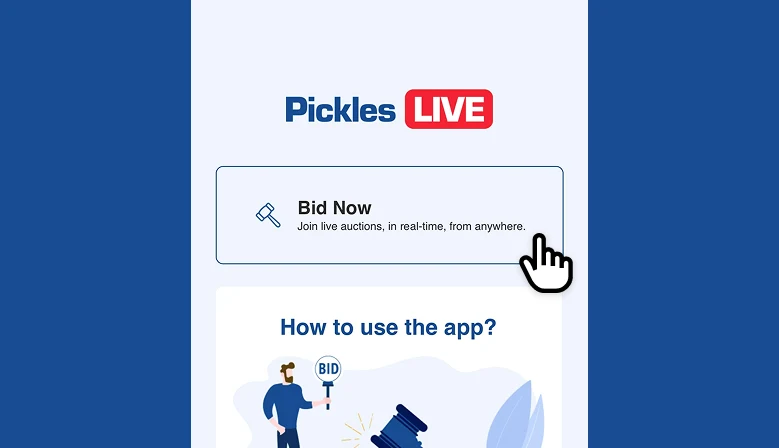
Refreshed App
We’re excited to introduce a new design for our login page - bringing a fresh, modern look to your PicklesLIVE experience. Plus, say goodbye to double logins! You can now seamlessly log in once via the PicklesLIVE app and jump straight into selecting the auction you wish to bid in.
Please Note: If you already have the app downloaded, you will be prompted to update the app via the app.
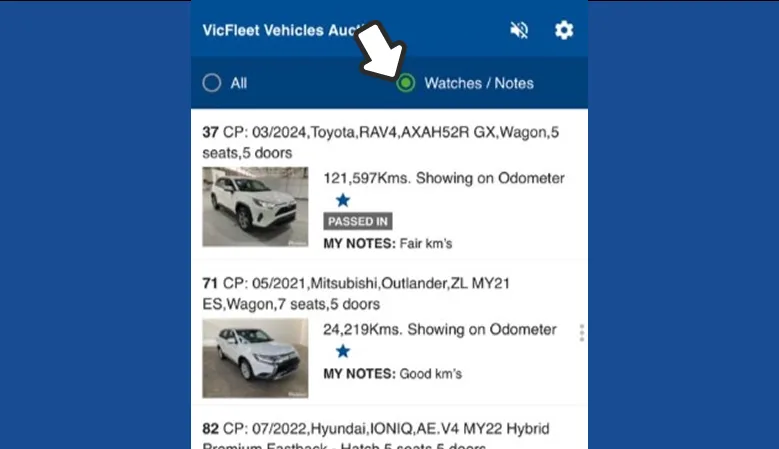
Watchlist & Notes Sync
Your Pickles website watchlist items and notes will now appear directly in PicklesLIVE, enabling you to track items across both the website and PicklesLIVE.
More information

FAQs
Want more information on PicklesLIVE auctions? Head to our FAQs for everything you need to know!

Mobile Buyer Training
Learn how to bid on mobile. Visit our Buyer Training Guide for simple steps to use PicklesLIVE anywhere.

Desktop Buyer Training
Need help bidding from your desktop? See our Buyer Training Guide to use PicklesLIVE with ease.