Outbid Notifications
Compete with ease using our new email and text message notifications on our online sales! Just opt in and we'll update you when you've been outbid on an item. To learn more about this new feature, please read our FAQs below.
How to enable outbid notifications
View On Mobile
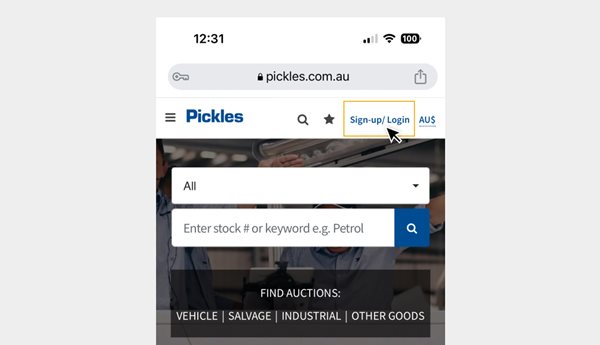
Step 1
Click on sign-up/login in the top right-hand corner.
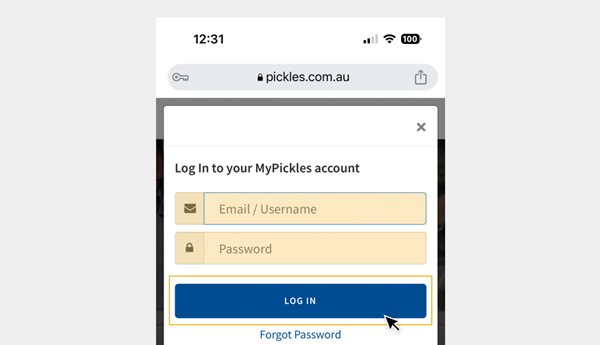
Step 2
Enter your MyPickles email address and password and press LOG IN.
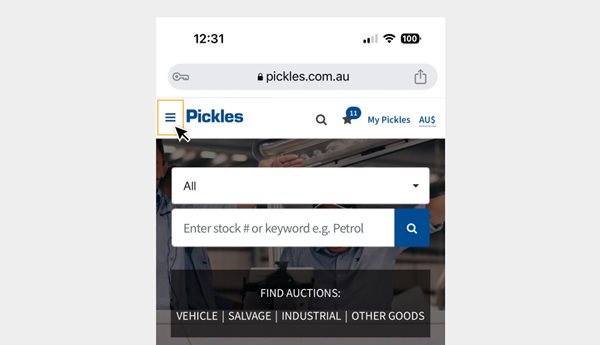
Step 3
Click the main menu icon in the top left-hand corner.
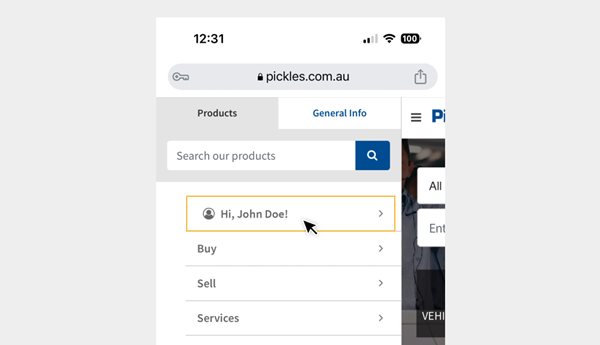
Step 4
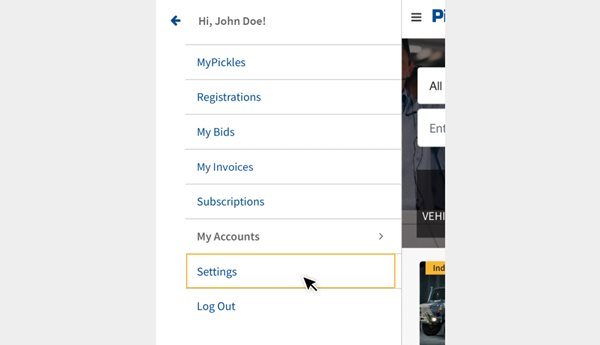
Click the arrow next to your name.
Step 5
Select Settings.
Step 6
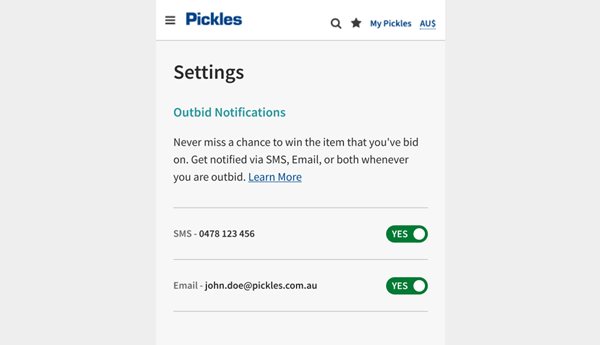
Opt in to receive email and/or text message notifications.
View On Desktop
Step 1
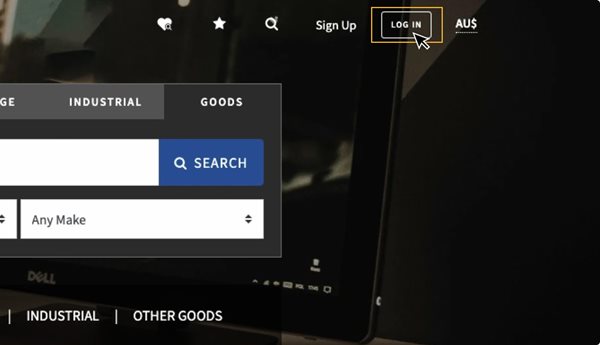
Click on login in the top right-hand corner.
Step 2
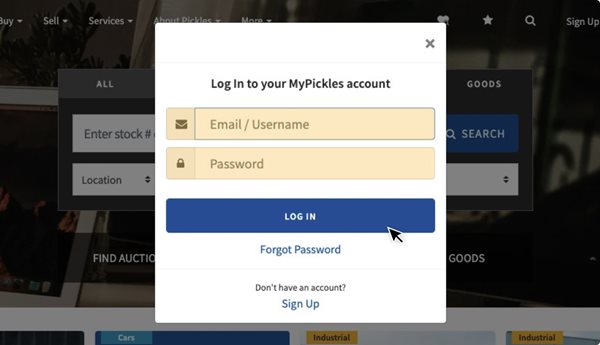
Enter your MyPickles email address and password and press log in.
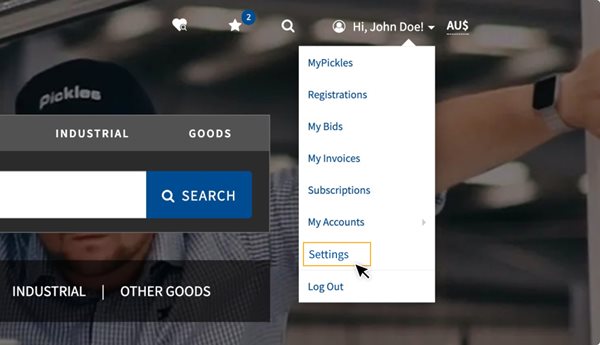
Step 3
Hover over your name in the top right-hand corner and select Settings.
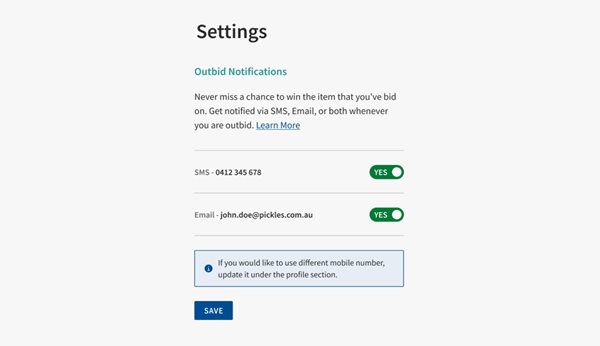
Step 5
Opt in to receive email and/or text message notifications.
Frequently Asked Questions
Outbid notifications are alerts that notify you when someone else has placed a higher bid on an item you've bid on. This helps you stay informed and gives you a chance to place a higher bid if desired. Please note these notifications are only for online auctions.
You can enable outbid notifications in your account settings. Simply login into your MyPickles account, select the dropdown in the top right corner. Go to ‘Settings' and select your preferred option to receive outbid notifications.
You can choose to receive outbid notifications via SMS, Email, or both, depending on your preferences.
If your phone number changes, you can easily update it in your MyPickles profile to ensure you continue receiving outbid notifications via SMS. However, if the mobile number is not added and verified on your profile, you will not have the option to receive SMS notifications.
No, you cannot change the email address for outbid notifications at all. It is permanently connected to your account.
Yes, you can disable outbid notifications at any time by logging into your MyPickles account, selecting the dropdown in the top right corner. Go to your ‘Settings' and select the option to turn them off. We recommend keeping at least one notification option on as if you turn both SMS and email off, you will not receive any notifications that you have been outbid.
There are no charges for SMS outbid notifications.
If you're not receiving outbid notifications, make sure your notification settings are correctly configured, your contact information is up-to-date, and check for any potential issues with your email or phone number.
Yes, your privacy and security are imporant. Your contact information is handled securely, and we take measures to protect your data.
Outbid notifications are specific to the auctions you're actively bidding on and when you are the highest bidder. You can't set up notifications for auctions you're not involved in.