How to navigate our new website
You may have noticed some changes on Pickles.com.au as we introduce a series of enhanced features to make your web experience easier, smarter and faster.
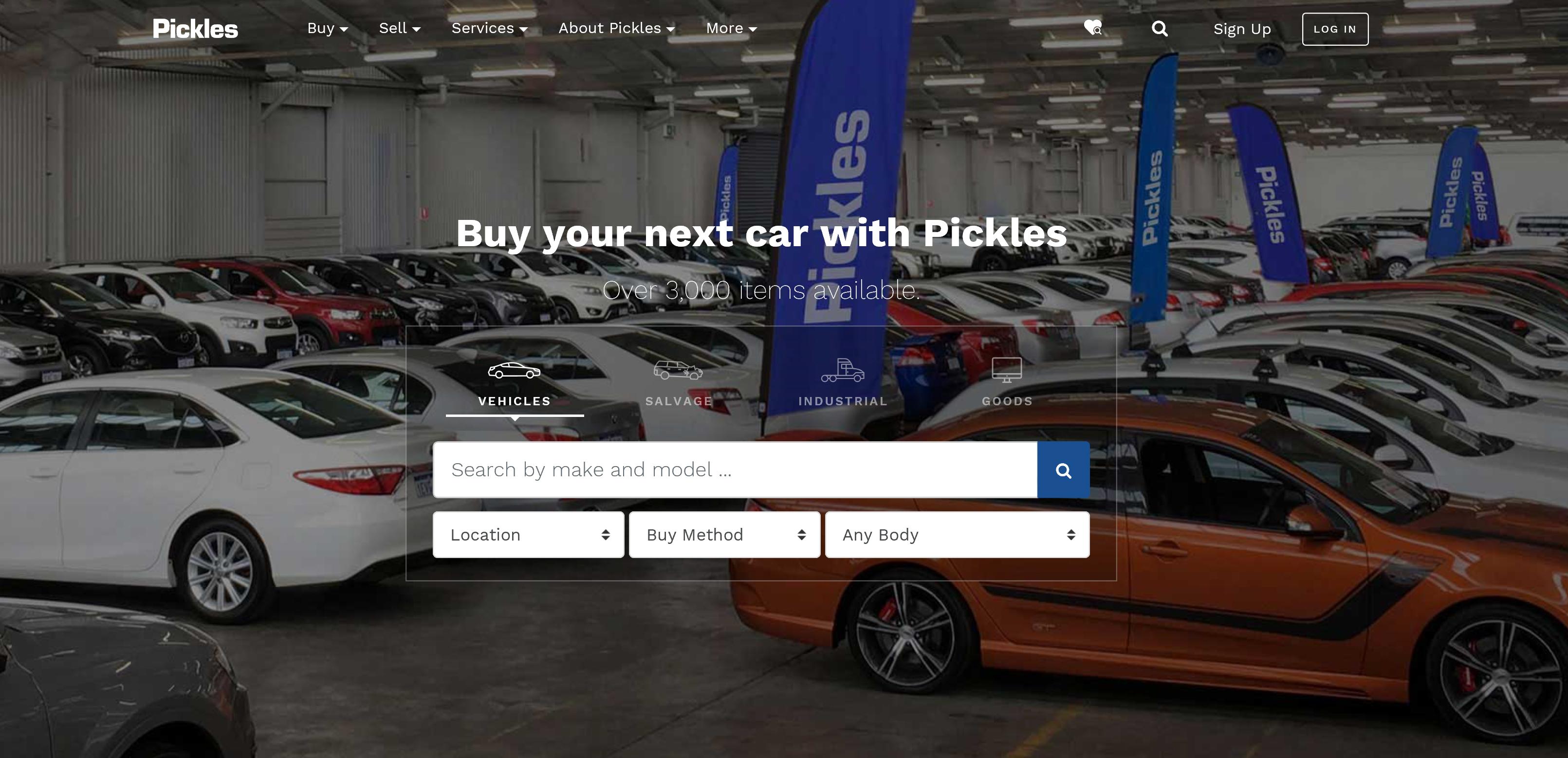
Pickles.com.au will greet you with a simpler new layout and a smarter look and feel. The new streamlined interface offers many enhanced features, including:
- A cleaner, more refined, welcome page that makes it easier to find the category you’re looking for.
- Smart search capabilities to help you find all that you need, and nothing that you don’t.
- Simplified navigation with simple drop-down filters to make searching faster.
- Buying Fixed Price vehicles via PicklesGO at the click of a button.
This newly enhanced platform will guide you through the Pickles website with ease. Smart navigation and advanced search capabilities of all content will save you time and improve your overall user experience.
How to search via category
To browse each category – cars, salvage, industrial or goods – hover over the Buy menu to open up a list of options. Across the top of the drop-down menu are four options with a little icon next to each. These are Vehicles, Salvage, Industrial or Goods. Click on your chosen option to open up all information regarding that category.
How to search auctions
From the homepage, please hover over the Buy menu to open up a list of options. From here, either click on a category or click ‘All Upcoming Auctions’. You will be redirected to a list of all auctions for that category.
How to search via buying method
From the homepage, please hover over the Buy menu to open up a list of options. From here, you can choose a purchasing method within each category. For example, under industrial, you can choose to buy via PicklesGO, PicklesLIVE, PicklesONLINE, Onsite auctions, or Tenders/EOI. Click on an option to open up a new page and all equipment which is available to buy will be displayed.
How to sell with Pickles
From the homepage, please hover over the Sell menu to open up a list of options. From here, choose sell your vehicle, machinery, trucks, trailers, motorcycle, caravans, marine or fleet.
What services do we offer?
From the homepage, please hover over the Services menu to open up a list of options. From here, you can choose finance, valuations or transport.
Want to know more about us?
From the homepage, please hover over the About Pickles menu to open up a list of options. From here, select Careers at Pickles, History, Blog, Values & Culture, National Executive, Advisory Board, Serving our Community or Contact us.
More information
If you’re looking for more information such as How to Buy, Vendor Portal, FAQs, Fees or Permanent Buyers, please hover over More to drop down a list of options.
Can't find what you're looking for?
Please find below the new locations of our most viewed pages and common actions
Feature | Where is it? |
Keyword search eg:Toyota | Homepage in hero panel |
Product line search eg: Trucks | Buy menu, under Product Type |
Search upcoming sales by product line eg: upcoming truck auctions | Buy menu, under Product Type and Buy method eg: PicklesONLINE |
How to buy from us | Under More, click How to buy from Pickles |
Services | Services menu |
About Pickles | About Pickles menu |
MyPickles options | User menu (top right of page) |
Product lines/categories | Under Buy menu, click product line |
PAIRS | Under More menu, click Vendor Portal |
Blog | Under About Pickles, click Blog |
Dealer area | Under More, click Permanent Buyers |
Product alerts | Bell icon in user menu which is now called Saved Searches |
Need help?
If you are having IT issues with our website or PicklesLIVE, please call our Customer Contact Team on 1300 052 392, Monday to Friday between 8:00am – 8:00pm AEST or email info@pickles.com.au.
If auction or product pages are not displaying properly, please refresh your cache or call IT support. View our FAQs here.