Pickles Invoices Information
Steps to complete purchase
Won a product and need to know what’s next? Follow the easy 5 step process below to go from auction bidder to product owner.
Once you have won a product, we will send you a winner’s email confirmation.
A deposit will be automatically withdrawn from your account after the sale concludes.
Pay your outstanding balance and Pickles will receive funds within 24-48 hours.
Once your funds have cleared, you’ll receive a $0 balance invoice via email or MyPickles.
After receiving your $0 balance invoice, you must collect your product within 24-48 hours.
How to view and download invoices from MyPickles
Mobile View
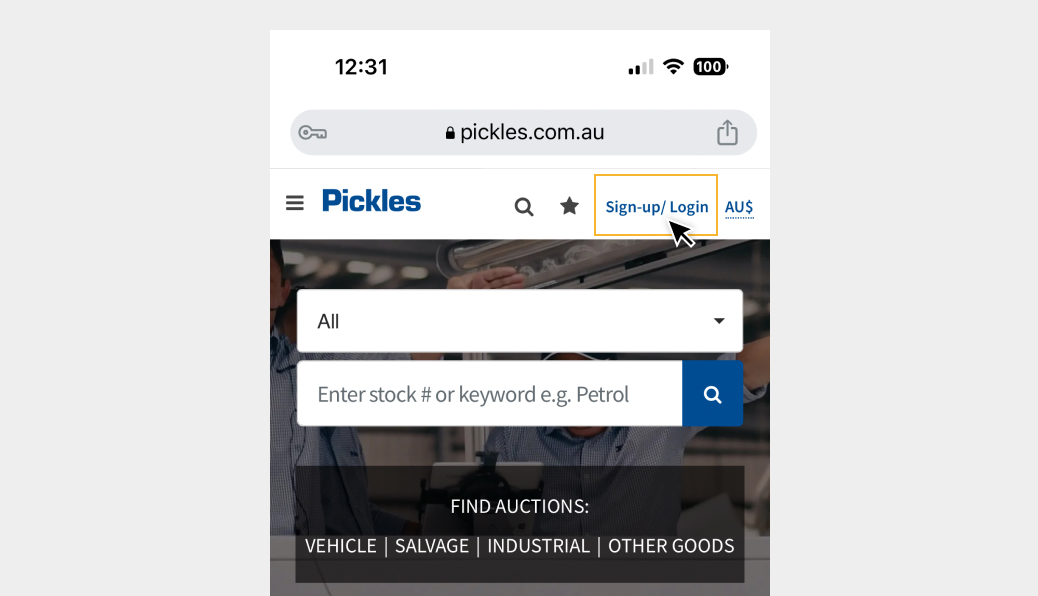
Step 1
Click on sign-up/login in the top right-hand corner.
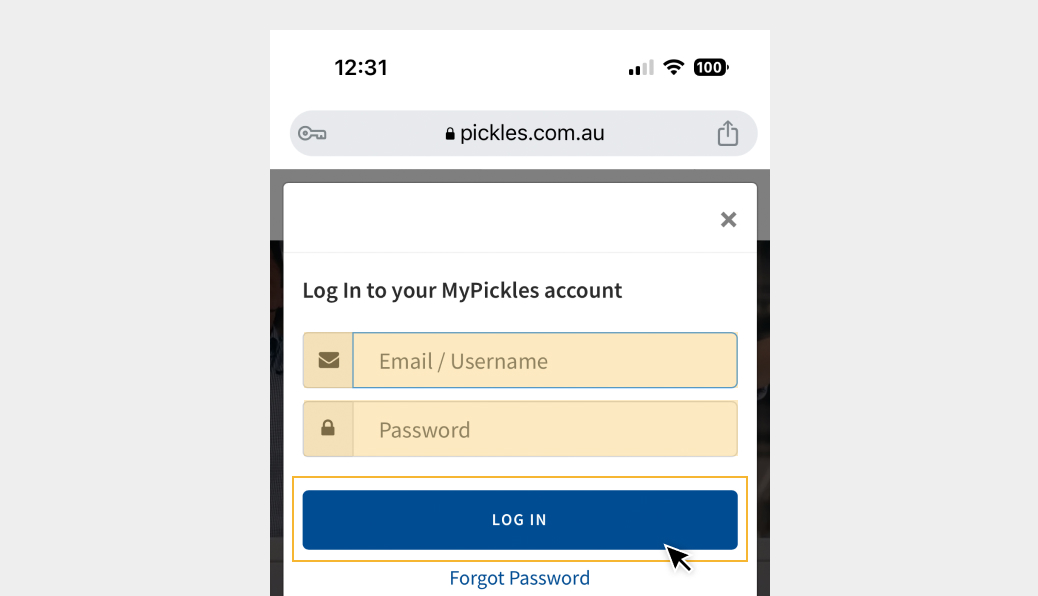
Step 2
Enter your MyPickles email address and password and press Log In.
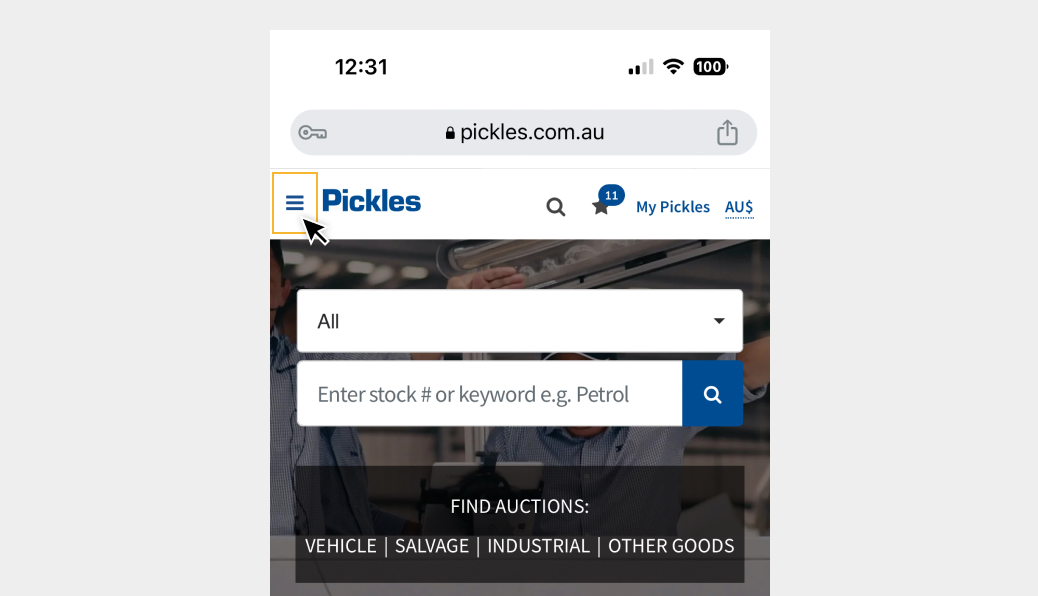
Step 3
Click the hamburger menu in the top left-hand corner.
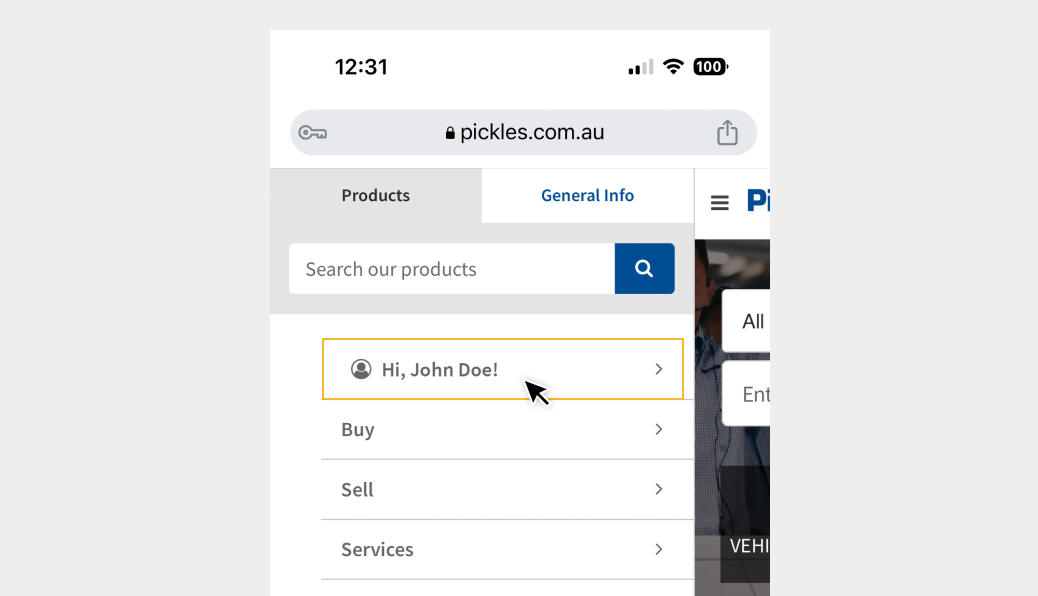
Step 4
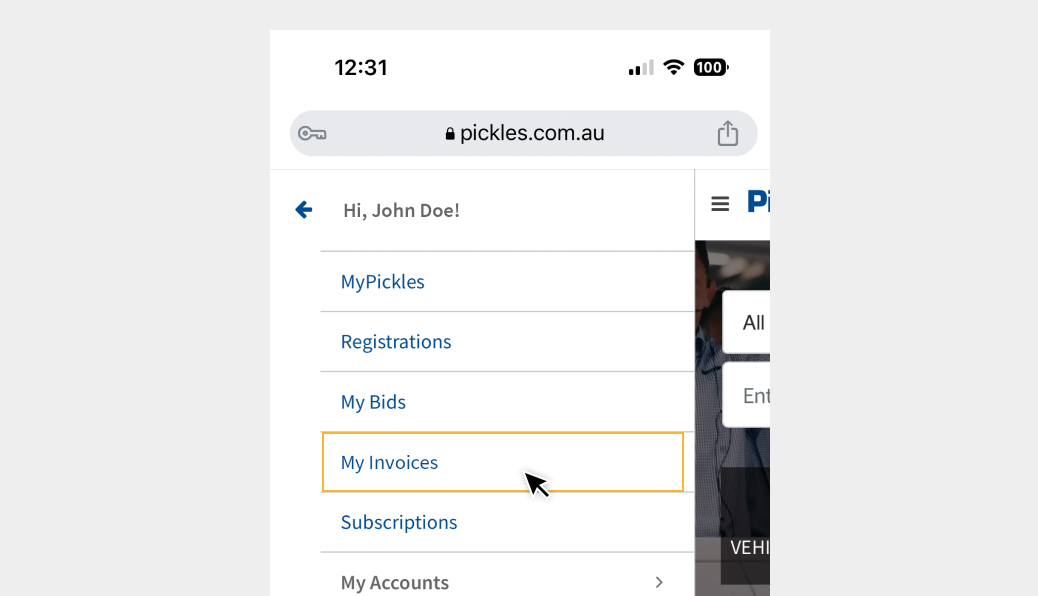
Click the arrow next to your name.
Step 5
Click on My Invoices.
Step 6
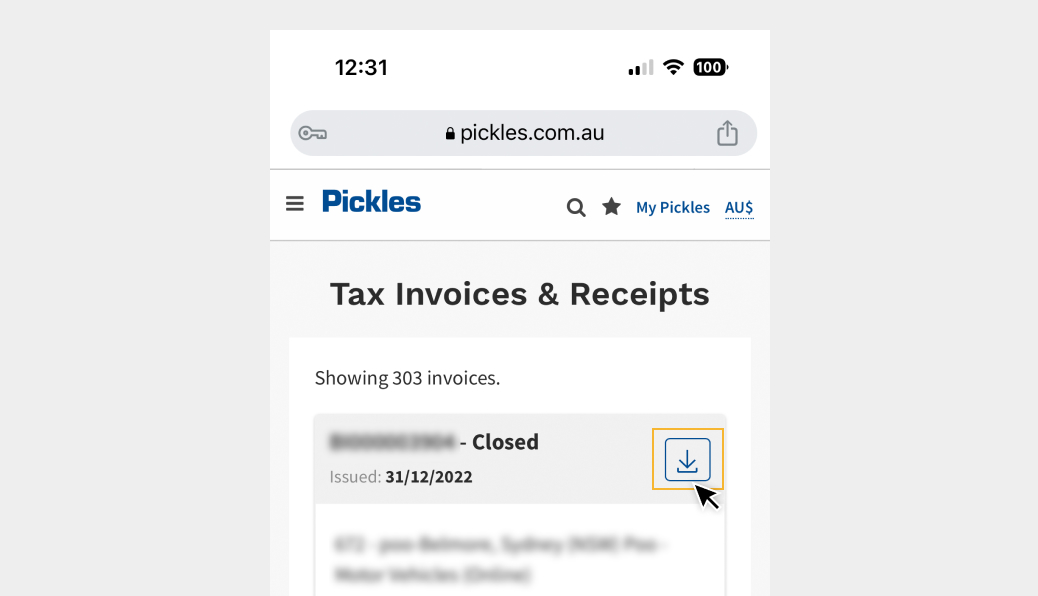
Press the down arrow if you wish to download a copy of your invoice.
Desktop View
Step 1
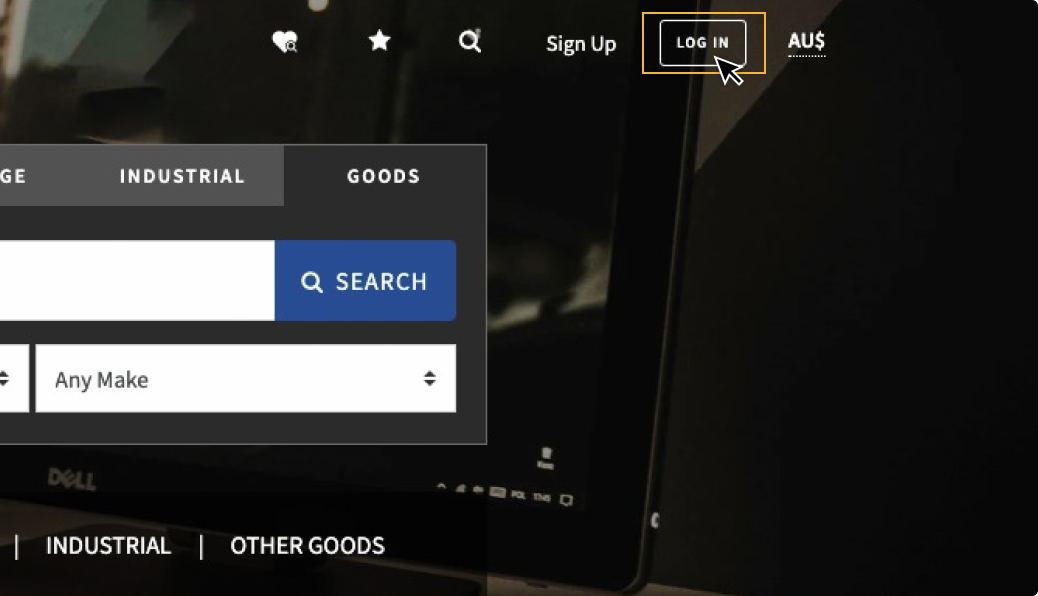
Click on login in the top right-hand corner.
Step 2
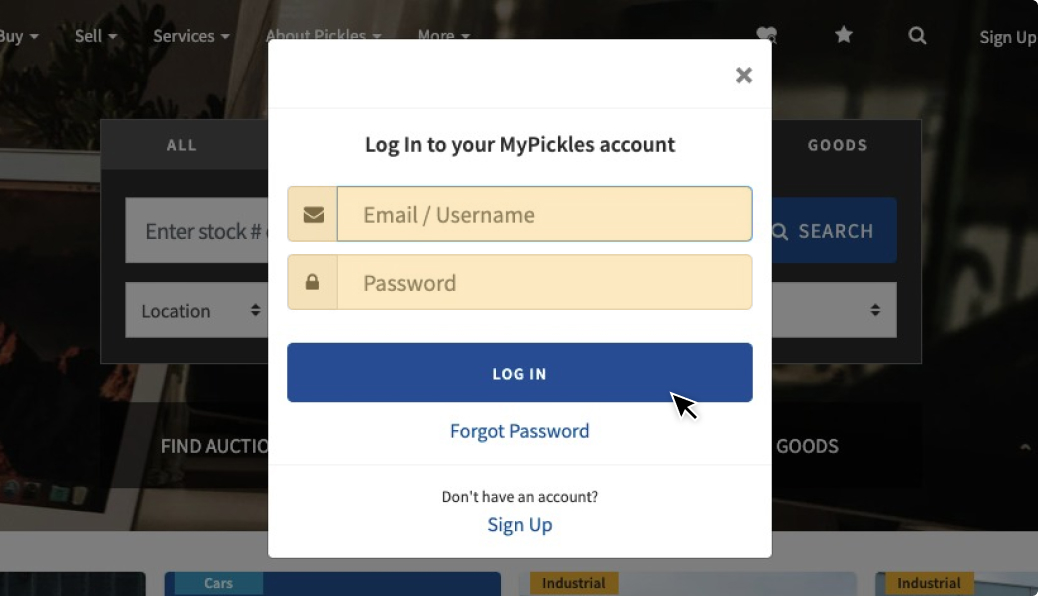
Enter your MyPickles email address and password and press log in.
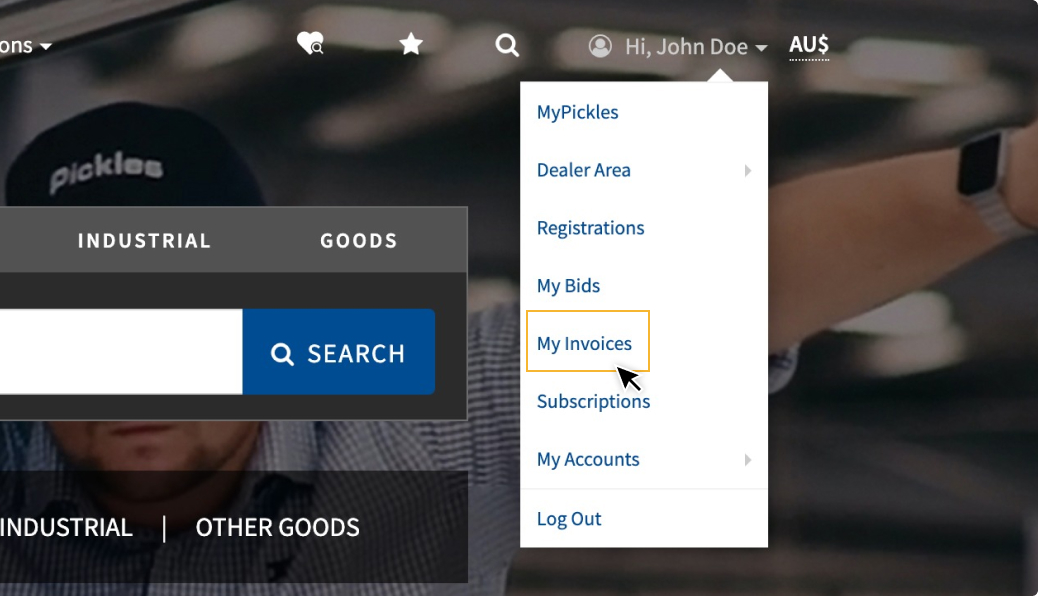
Step 3
Hover over your name in the top right-hand corner and click on My Invoices.
Step 4
Under the Action heading, click the PDF button if you wish to download a copy of your invoice.
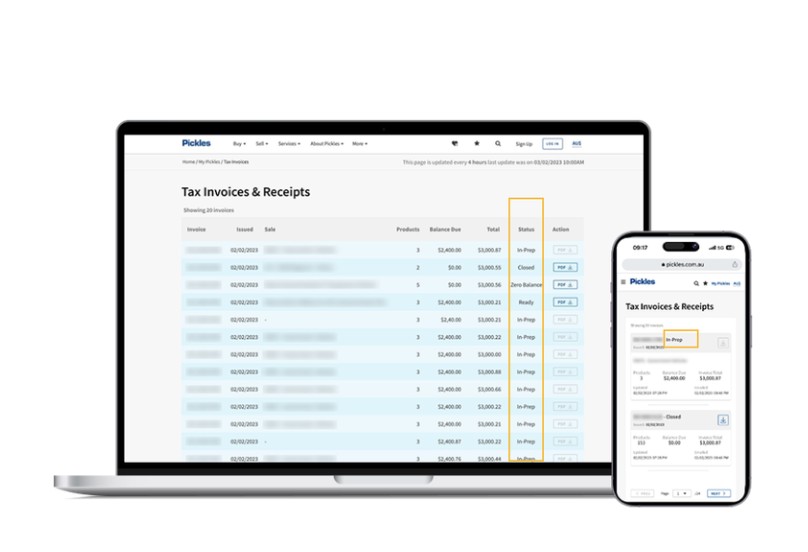
In-Prep
Invoice is being prepared. The invoice is not yet ready to download. You will notice the download down arrow button is greyed out.
Ready
Invoice is now ready to review, download and use to make payment. The invoice has also been emailed to your nominated billing email address.
Zero Balance
Invoice has been fully paid and you can now make contact with Pickles to discuss collection. Your invoice is also available for download.
Closed
Invoice has been fully paid and there are no further actions required. Your invoice is also available for download.
Frequently Asked Questions
This means your invoice is still being prepared. As soon as its ready, the download arrow will be blue and available for you to press.
We updated our system in November 2022 and invoices are only available through MyPickles for purchases made since this date. If you need a copy of an old invoice, please contact our customer contact centre who will be able to assist. You can email them at info@pickles.com.au.
The data on the MyPickles invoice page updates every 90 minutes. However if you open your invoice, that information updates every 10 minutes. Your invoice is the most accurate reflection of the status.
Our friendly customer contact centre would be happy to assist. Please send an email describing the issue to info@pickles.com.au and the team will be in touch.
Your invoice status will update to 'Zero Balance'. This means that your invoice has been fully paid and you can collect your asset. Please remember to bring your zero balance notification when you collect your purchase.
We can assist with the generation of a financial invoice for you. Please send the required information (invoice to, delivery to and broker contact details to our finance invoice request form and we will work on your request.
Once you have paid, your zero balance invoice will be created and available for download from your MyPickles account. This can take a few hours.
If you have won an asset through one of our sales channels, it needs to be generated in our system and it will sit in the 'In-Prep' status in your MyPickles Invoice dashboard. This can take up to few hours after the auction ends. When your invoice is ready for review, the stage will update to 'Ready' and you will be able to download it.
The best way to pay for your purchase is via direct debit transfer. You can also pay by a direct deposit at an ANZ bank. It is best to put your Client Number and Invoice Number as the reference when you complete the transfer. If you are wondering how to find our bank details, they can be found at the bottom of your invoice.
Once you have paid, please email your bank remittance to remittance@pickles.com.au and once confirmed, you will be able to collect your purchase.When you have paid your invoice in full and you have the zero balance invoice, then you will be able to collect your purchases. Your zero balance can be found on your MyPickles account, on the Invoice dashboard. If you have any invoice queries, please email us at info@pickles.com.au.
The 'Amount' Column has the total price of the invoice. The 'Balance Due' column is the amount owing. If you have any questions, please email our team at info@pickles.com.au with your enquiry and they will be in touch.
Log out of your MyPickles account and re-log back in.